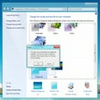
Lightweight Chrome-inspired theme that modernizes an outdated interface without impacting performance or resource usage
Lightweight Chrome-inspired theme that modernizes an outdated interface without impacting performance or resource usage
Vote (194 votes)
Program license Free
Developer Visit Website
Version v4
Works under Windows
Vote
(194 votes)
Developer
Visit Website
Works under
Windows
Program license
Free
Version
v4
Pros
- Refreshes various elements of Windows XP to make them more useable.
- Despite adding onto Windows, Chrome XP doesn't hurt performance or smoothness.
- It's a quick and simple download/install on all machines.
Cons
- It's a Windows XP theme at its core and nothing else.
- Certain elements remain unchanged due to limitations.
- Windows XP won't actually run better with this theme installed.
Chrome XP is best described as a theme designed for machines running Windows XP. While Windows XP is obsolete, millions of computers still run the old OS today. Without a doubt, XP looks outdated and runs poorly compared to today's PCs. The goal with Chrome XP is to refresh the overall user interface in every way possible. Users will notice right away Chrome XP is inspired by the Google Chrome Browser, and that's not necessarily a bad thing here. Is the program worth downloading, though?
Sticking The Best Elements of Chrome Into Windows XP
Nothing about Windows XP is attractive compared to Windows 7, 8, and 10. In fact, even Windows Vista looks like a beauty compared to XP. Chrome has long been considered a design champion due to its fluidity and simplicity. A crafty developer has now released this theme which drags some of the best elements from Chrome into Windows. For better or worse, the theme is only available for Windows XP, so most people won't need this.
Upon installation, Chrome XP will make subtle changes to the entire Windows interface. Windows Explorer gains an attractive coat of paint that makes it more pleasant to use. The same applies to other menus in the operating system, and even the Start Menu receives a couple of enhancements. By making everything look a little nicer, this particular theme succeeds in refreshing Windows XP to some degree.
Not A Perfect Solution For Such An Old Windows Version
Then again, Chrome XP isn't going to fool anyone into thinking their Windows XP machine is brand new. Nothing in this theme improves the actual performance of the operating system. Minor aesthetic changes won't fool the average person into believing they're using anything but a better looking Windows XP. Sure, the theme is designed to make visual changes and nothing more, but a theme isn't a good replacement for a new OS. Users should have upgraded to Windows 7 or above at this point in time already.
Should you download Chrome XP for Windows XP?
In the end, you'll want to download Chrome XP if you're stuck using Windows XP for one reason or another. A fresh coat of paint still makes the experience more pleasurable, and the theme doesn't bog down hardware resources. You'll want to upgrade Windows if possible, but Chrome XP is an OK alternative to those stuck with XP. Either way, Chrome XP is one of the better themes for XP, but that's not saying too much. Themes are nice modifications, so Chrome XP is a recommendation for users.
Pros
- Refreshes various elements of Windows XP to make them more useable.
- Despite adding onto Windows, Chrome XP doesn't hurt performance or smoothness.
- It's a quick and simple download/install on all machines.
Cons
- It's a Windows XP theme at its core and nothing else.
- Certain elements remain unchanged due to limitations.
- Windows XP won't actually run better with this theme installed.
Pros
- Comes with a drop down menu for accessing popular sites
- Includes links to apps like Google Docs and Gmail
- Can download new plug-ins for viewing videos or reading PDFs online
- Lets you do instant searches without visiting Google first
- Maintains a list of frequently viewed sites that you can see on your home page
Cons
- Makes it harder to go back to previously viewed pages
- Lacks the security features found on newer Chrome browsers
- Will not work on all computers
- Must download new plug-ins to use some features
- Limits your options for private viewing
Chrome XP is a version of this popular web browser that Google designed for users who have computers running Windows XP. As newer versions of Chrome only work with newer operating systems, this version works on older devices.
The right web browser can change the way you surf the web and view your favorite sites. Some of these browsers move so slowly that you need to adjust the settings multiple times to reach your desired speed level. Other browsers lack the features that you need to keep track of your recently visited pages and favorite web pages. Chrome XP comes with a number of desirable features that you can use when surfing the web.
Chrome is one of the fastest web browsers out there. You can download and upload programs without missing a beat and without feeling like you waited for hours. Those fast speeds are especially important for those who watch videos online. Whether you view music videos on YouTube or you catch up on television shows with Hulu, you'll notice that those videos load faster and do not buffer like they did in the past.
This newer version of Chrome comes with predictive searches too. When you enter a letter in the search bar, it will give you a list of searches you might perform. Chrome XP also uses your past searches to get an idea of what you might search for later. Some dislike this feature because they think it's a privacy invasion. You might also dislike that Chrome XP keeps a list of your most frequently visited sites on your home page. Each time you load the browser, those sites appear as thumbnails on your screen. While this can make browsing more convenient, some dislike that it lets Google track them.
Chrome XP comes with some big changes from previous editions. Instead of hitting the backspace button to return to your last site, you must now press the ALT button and the left arrow at the same time. Google added this feature in response to users complaining about accidentally backing out of pages. It also limits you chances to view content in private and keeps you from restoring tabs that you accidentally closed. If you have an older computer or operating system and want to search online without using Internet Explorer, Chrome XP is a suitable alternative.
Pros
- Comes with a drop down menu for accessing popular sites
- Includes links to apps like Google Docs and Gmail
- Can download new plug-ins for viewing videos or reading PDFs online
- Lets you do instant searches without visiting Google first
- Maintains a list of frequently viewed sites that you can see on your home page
Cons
- Makes it harder to go back to previously viewed pages
- Lacks the security features found on newer Chrome browsers
- Will not work on all computers
- Must download new plug-ins to use some features
- Limits your options for private viewing